

If you’re leading a customer service team, you’re always on the lookout for ways to cut wait times and give better responses. You want customers to feel heard and supported. At the same time, you want your team to stay quick, consistent and sure of themselves. When messages pour in from phone calls, chats, emails and social media all at once, it’s easy for something to fall through the cracks.
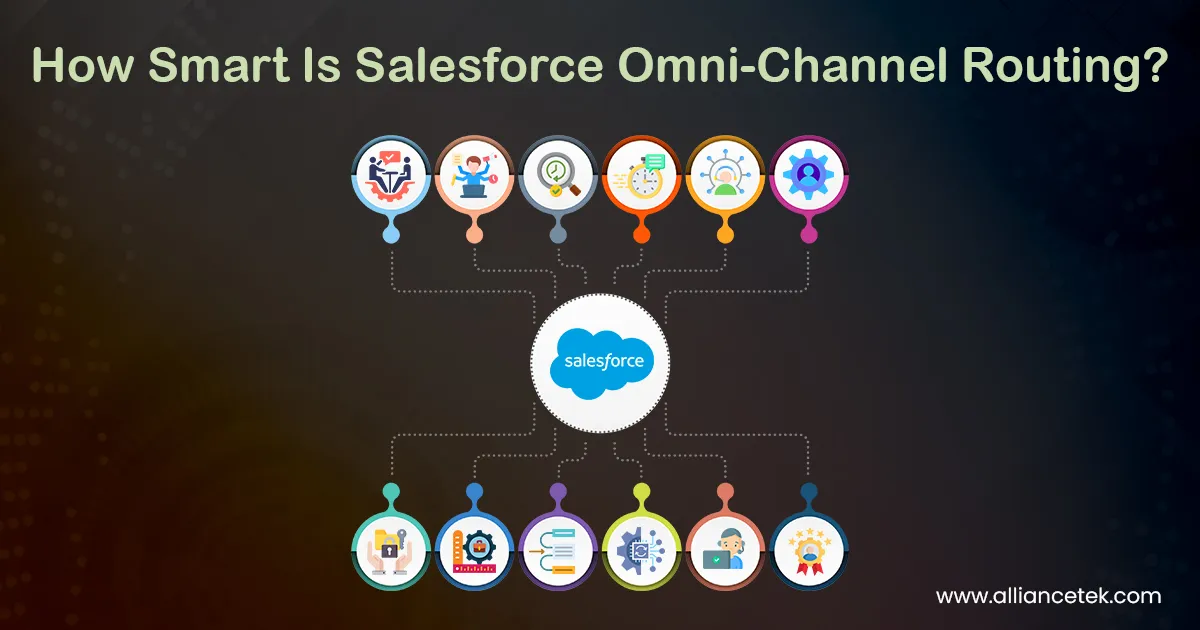
Salesforce Omni-Channel Routing helps you manage that mess. It does more than just sort things out. It gives you the power to decide who handles what and when. You can choose which team member gets a live chat, who picks up an email, or how to handle urgent cases without leaving it to chance. Instead of piling everything into one queue and hoping for the best, you create clear rules that help your customers get the right support straight away.
Table of Contents
1 What is Omni-Channel Routing?
2 How Does It Work?
3 Why It Matters to You
4 Skill-Based Routing
5 Workload Management
6 Real-Time Monitoring
7 Better First Response Times
8 Consistency Across Channels
9 Setting Up the System
10 Handling Peak Times
11 Metrics That Matter
12 Custom Prioritization for Different Work Types
13 Integrating Bots and Automation
14 Reducing Agent Turnover Through Smarter Workflows
15 A Better Experience for Everyone
What is Omni-Channel Routing?
Salesforce Omni-Channel Routing is a group of tools built into Salesforce Service Cloud. These tools assign work—like cases, chats, leads, or tasks to your team automatically based on rules you define. There’s no waiting around for someone to choose a task from a queue. The system sends the task to the right person immediately.
If someone sends a live chat message, the system checks who’s available and has the right skills. Then it routes the chat to them. No time is wasted and no message gets lost. This is where Salesforce CRM development services prove valuable—they allow you to configure routing rules that align with your team’s workflow.
Once you’ve set the rules, you don’t have to keep managing them manually. The system follows them every time. You can route work based on skills, availability, workload, or time of day. That means less stress for you and faster responses for your customers.
How Does It Work?
It all starts with routing configurations. These are the rules you set to guide how work gets assigned. You can go with a queue-based system or one that matches work based on skills. A queue-based setup sends work to available agents within that group. A skill-based routing setup checks which agent has the right abilities before assigning the task.
For organizations looking to design and deploy these systems at scale, working with a Salesforce development company can help you implement a model that aligns with your business priorities and ensures long-term flexibility.
You also get to set limits on how much work an agent can handle. If someone is working on two live chats and replying to an email, the system can hold off on sending anything else until they’re done. That way, no one ends up with too much on their plate.
This all runs in the background of your CRM platform. Once your rules are in place, the system checks every new request and sends it to the best fit. That keeps things moving and prevents your customers from waiting while someone decides what to do next.
Why It Matters to You
When your team manages work by hand, errors creep in. An agent might take on a case they can’t handle. Two people might respond to the same message. Or worse, nobody might reply at all because everyone assumes someone else already has.
Omni-Channel Routing in Salesforce clears up that kind of confusion. It puts each task in the right hands straight away. That brings structure and saves time. With the help of Salesforce CRM development solutions, you can fine-tune the rules to reduce manual handling and ensure each issue lands where it should.
You’ll notice the results quickly. Your team will know what to work on. Your customers won’t have to wait as long. You’ll remove the guesswork and keep things running smoothly. Delays drop. Positive feedback rises.
Skill-Based Routing
Skill-based routing stands out as one of the most useful features. You can match messages or cases to agents who are best suited for them. That way, your customers get answers from people who know what they’re talking about.
You choose which skills matter. You decide which types of requests need those skills. Then the system checks who meets those conditions before sending the task. If your business handles a wide range of service types, Salesforce application development services can help tailor skill tags and agent profiles for stronger results.
That means better answers and fewer follow-ups. Your team works with more confidence because they’re tackling questions they’re prepared for. Customers feel it too. Their issues get resolved faster, and their trust grows.
It also helps you shape your team’s skills. You can guide new agents by giving them cases that help them learn while still keeping quality high for the customer.
Workload Management
You want your team to work at their best, not feel swamped. When someone handles too many tasks at once, the work suffers. Mistakes happen. Frustration builds.
Omni-channel workload management lets you set clear limits. You assign a workload number to each agent that defines how much they can handle at one time. One person might manage three live chats. Another might focus on just one phone call. You’re in control of those numbers.
When someone reaches their limit, they stop receiving new work until they’re ready again. That protects your team from burnout and ensures each customer gets full attention from their agent.
Over time, you can spot trends. If one agent always reaches their limit before others, you can step in. You might offer more training, adjust their workload, or even change how tasks are routed to them. That helps you plan better for the future. For personalized rule structures, Salesforce consulting services help align platform capabilities with workforce management needs.
Real-Time Monitoring
During busy hours, it helps to have a clear view of what’s happening. You need to see who’s online, what they’re working on and where delays might be building up.
Salesforce real-time agent monitoring tools give you visibility as it happens. You can check dashboards that show which channels are backed up or which agents are taking on too much. With that view, you can make quick choices that keep things running smoothly.
You can shift agents to different channels, spot skills that need more training or share data with the team to help them understand what’s working.
When you work from real numbers, your decisions carry more weight. Your team sees that you’re working with facts. That builds trust and makes daily work easier for everyone.
Better First Response Times
Nobody likes waiting. When customers reach out, they expect someone to respond quickly. If they don’t hear back, their trust fades fast.
Omni-Channel in Salesforce helps you respond faster by cutting out delays. As soon as a message comes in, the system checks your rules and routes it right away. There’s no pause while someone sorts the queue.
This matters for live chat and phone support, but it also improves response times for email and form submissions. That quick reply helps set the tone for the rest of the exchange. It shows the customer that they’re a priority.
A fast, clear first response builds momentum. It keeps the conversation focused and makes resolution easier. For companies managing large or dynamic customer bases, Salesforce customization services can create intelligent routing paths that address unique response time goals across different support lines.
Consistency Across Channels
You probably support customers through several channels—phone, chat, email, social media. You want to keep standards the same across all of them.
Salesforce Omni-Channel Routing helps with that. You define the rules for each channel. You set response priorities. You make sure that no matter how a customer reaches out, they get a reliable experience.
It also keeps things simpler for your team. Instead of switching between apps, they handle tasks through the same system. That saves time and helps them stay focused.
The result is fewer mistakes, better answers and a more consistent experience from start to finish.
Setting Up the System
Getting started with Omni-Channel in Salesforce Service Cloud takes some thought. Once it’s up and running, though, it’s smooth. Start by making a list of the kinds of work your team handles. Group similar items together and decide how they should be routed.
To get started, you’ll need to set up:
- Routing Configurations
- Presence Configurations
- Skills and Capacity Rules
- Queues
- Service Channels
You can also use Salesforce Flow Builder to build more advanced routing rules. For example, you can decide that urgent cases go to senior agents or that certain requests skip queues altogether.
Make sure your team knows how it all works. Show them how to set their status and how the system assigns work. That helps them feel more in control of their own workload.
Handling Peak Times
Every team has busy times. Maybe Monday mornings feel hectic. Maybe Friday afternoons get wild. During those hours, queues fill up fast.
Salesforce workload automation helps you manage that load. You can change task priorities, set up extra queues, or shift agents to busier channels when needed. You can stay flexible without losing track of who’s doing what.
Over time, you can also study the data. If you see regular peaks, you can plan ahead. You can schedule more agents, adjust channel coverage, or prep the team with clear targets. That kind of planning keeps the experience smooth even when things get busy.
Metrics That Matter
Once your system is up, you’ll want to see how it’s doing.
You can track performance by watching things like:
- Average response time
- Agent workload
- First contact resolution
- Case completion rate
These numbers give you a better picture of how your team works. If someone always has more work than others, you can balance their tasks. If certain requests take too long, you can revisit your rules or training.
You can use this data to explain what’s working and what needs to change. That helps when sharing updates with other teams or leaders. You’ll have proof that the system is doing what it’s meant to do.
Custom Prioritization for Different Work Types
Not all customer issues carry the same urgency. A lost password is different from a failed payment. A billing error needs faster handling than a feedback comment. You need a way to reflect that in how tasks get assigned.
With Salesforce Omni-Channel Routing, you can build in priority levels. Urgent requests can jump the queue. Routine ones can wait until the right agent is free. You can match service-level expectations with the right response speed, without needing to micromanage the team.
This helps you stay focused on what matters most—solving the right problems at the right time.
Integrating Bots and Automation
Some questions don’t need a human touch. Order status, account balance, shipping delays—these can often be handled by bots. But that doesn’t mean bots and humans should work in silos.
Salesforce Omni-Channel with chatbot integration lets you blend automation with live support. A bot can handle the first few messages and only transfer to an agent if needed. The handoff is seamless. The agent sees the full history, so the customer never has to repeat themselves.
This saves time and keeps the experience smooth from start to finish.
Reducing Agent Turnover Through Smarter Workflows
Agents burn out when the work is chaotic. If tasks pile up with no logic or agents constantly handle issues outside their skill set, they start looking for a way out. You can stop that from happening.
By routing work based on skills, availability and workload, you give your team more control. They get tasks they can handle. They stay in their zone of strength. Over time, this builds confidence and lowers the risk of burnout or turnover.
A structured routing system helps you retain your best people longer and keep morale high.
A Better Experience for Everyone
When everything runs smoothly, the whole team benefits. Customers get quick answers. Agents feel more confident. And you spend less time solving problems that shouldn’t have happened in the first place.
Salesforce Omni-Channel Routing gives you that control. It helps you assign work wisely and bring structure to a busy job.
You don’t need to start over. You just need a system that works with you instead of against you. And once it’s in place, you’ll see just how much easier things can be.
Every customer matters. Every minute counts. And with the right approach, both will work in your favour. Get in touch with AllianceTek to explore how you can implement Salesforce Omni-Channel in your operations.
